CL
CL
View · iPhone portrait
Scale 1:4 · Sheet 01/06
2948 PX
01
01The setup book
The whole car, on record.
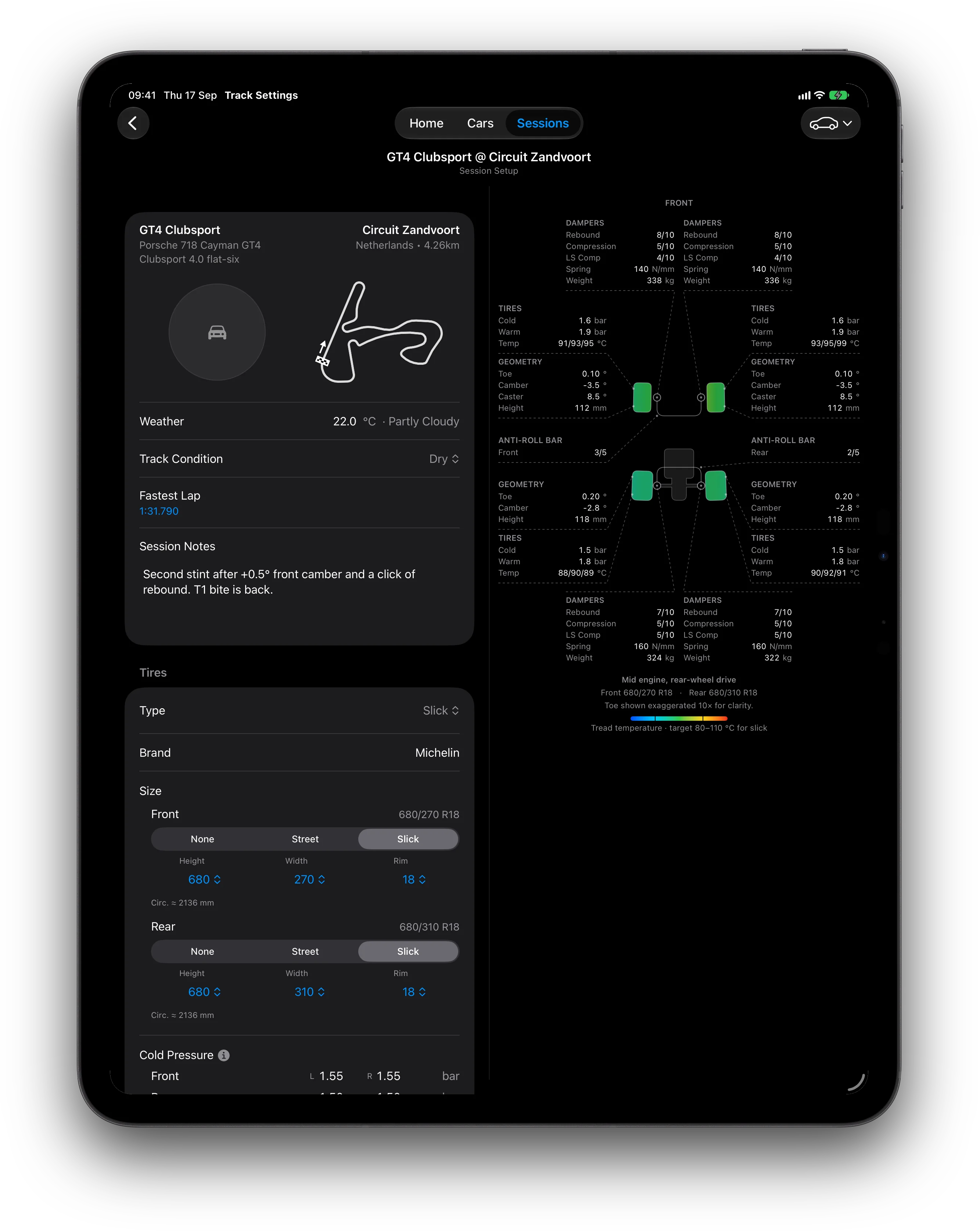
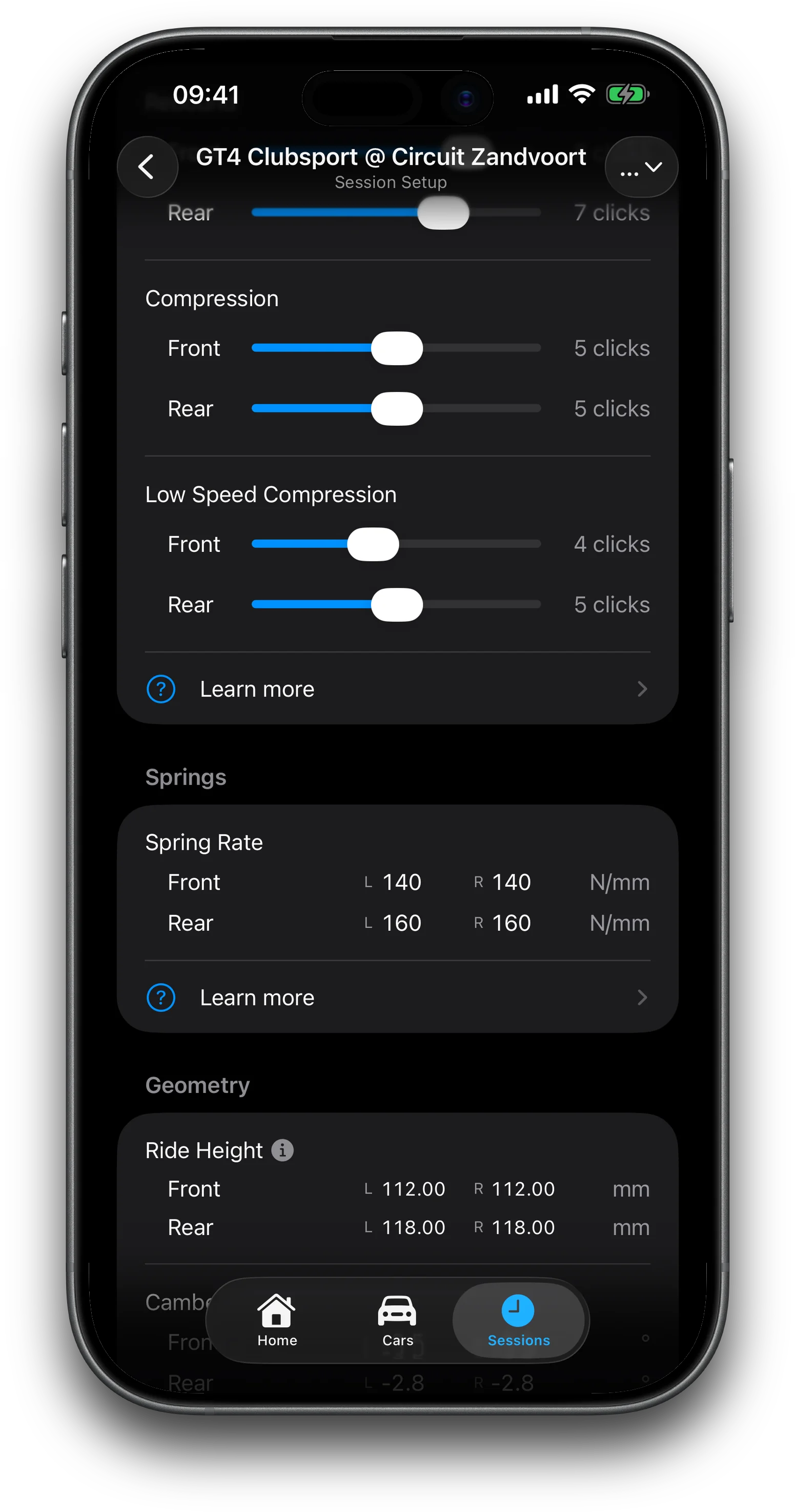
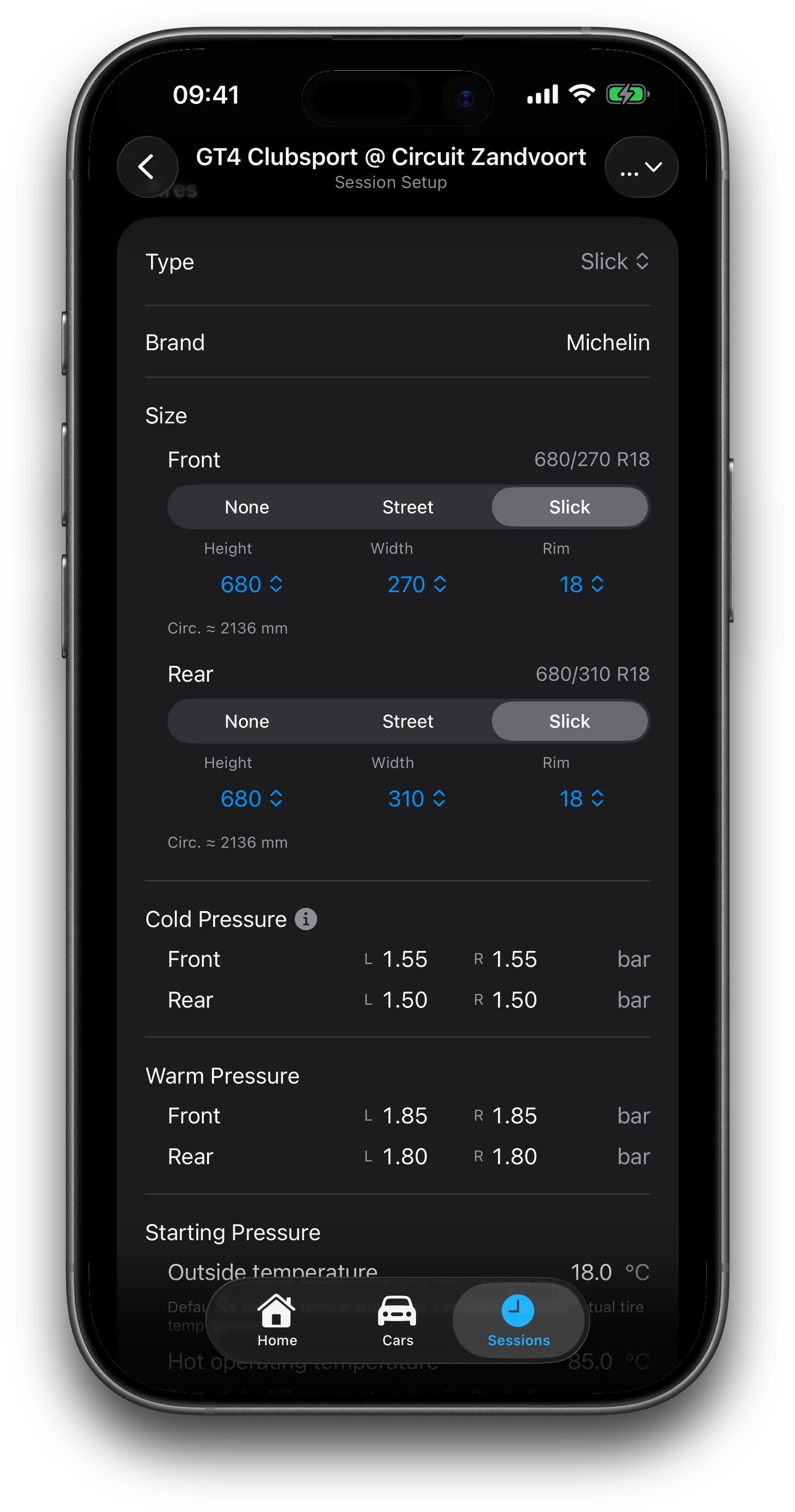
Choose your dampers from the catalog and the click ranges follow that product. Tire pressures, sizes and tread temperatures for each corner. Ride height, camber, toe, springs and caster unlock with Pro.
Damper catalog / per-corner pressures / bar·psi · °C·°F · mm·in
02GPS timing
Arm it and drive.
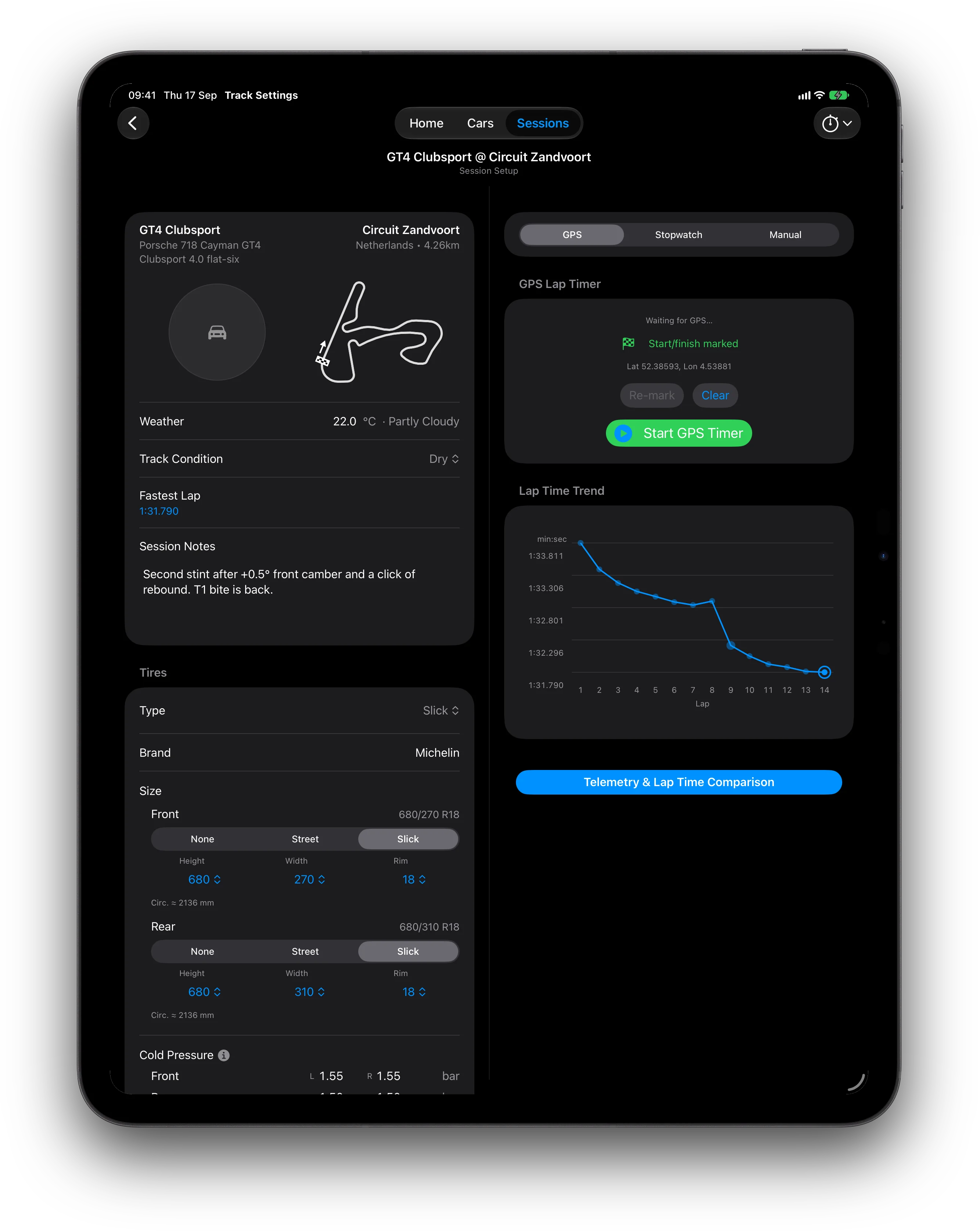
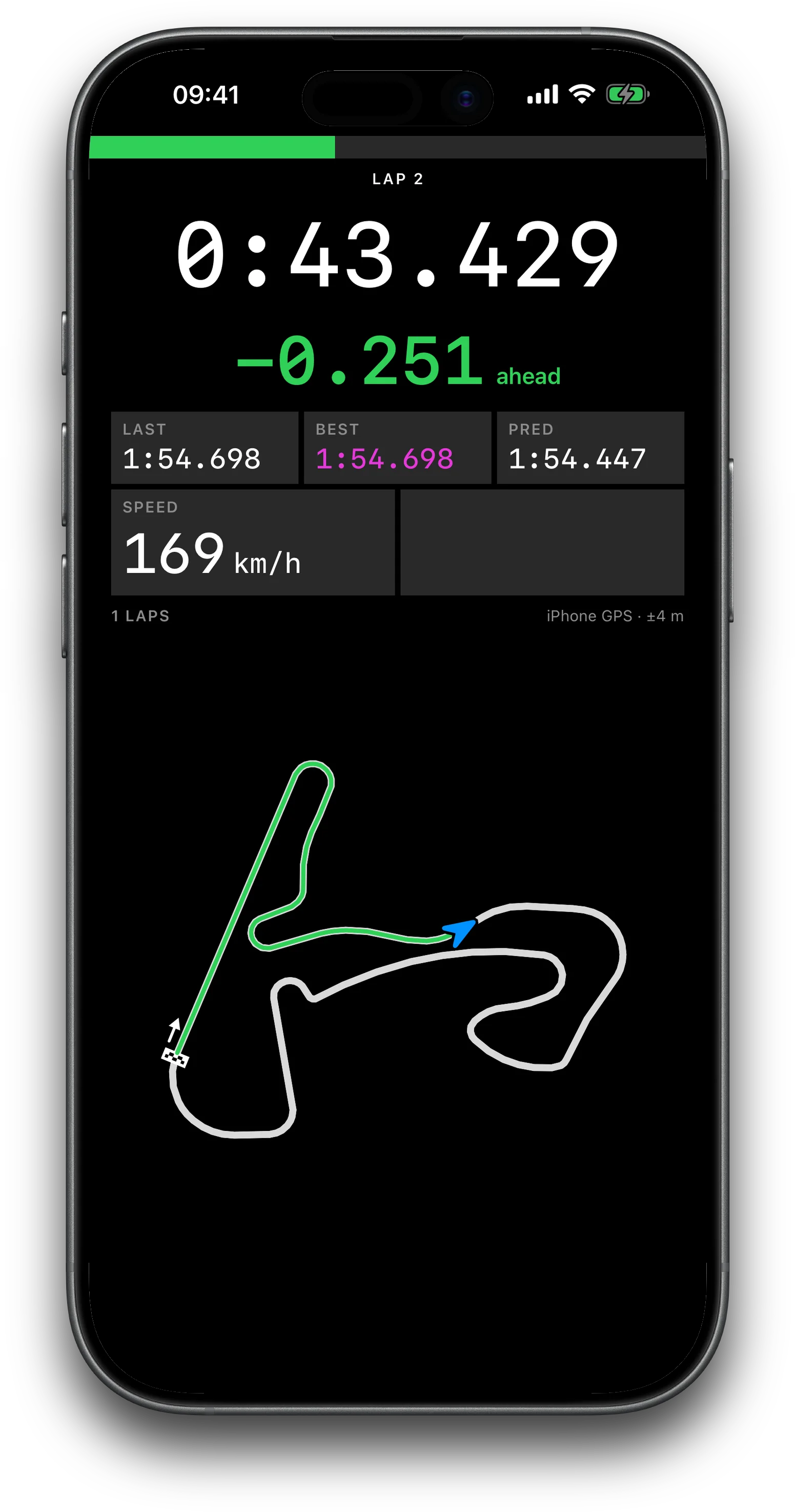
Mark start/finish, arm timing and put the phone down. The dash shows running lap, live delta, last, best and predicted, speed, and your driven path on the track outline. A new best flashes as it lands. If a paired module drops mid-session you get an alert, never a silent switch to the iPhone.
iPhone GPSINCLUDED
Dragy DRG70 / DRG70 ProPRO
RaceBox Mini / Mini S / MicroPRO
03Lap time trend
See which change made you faster.
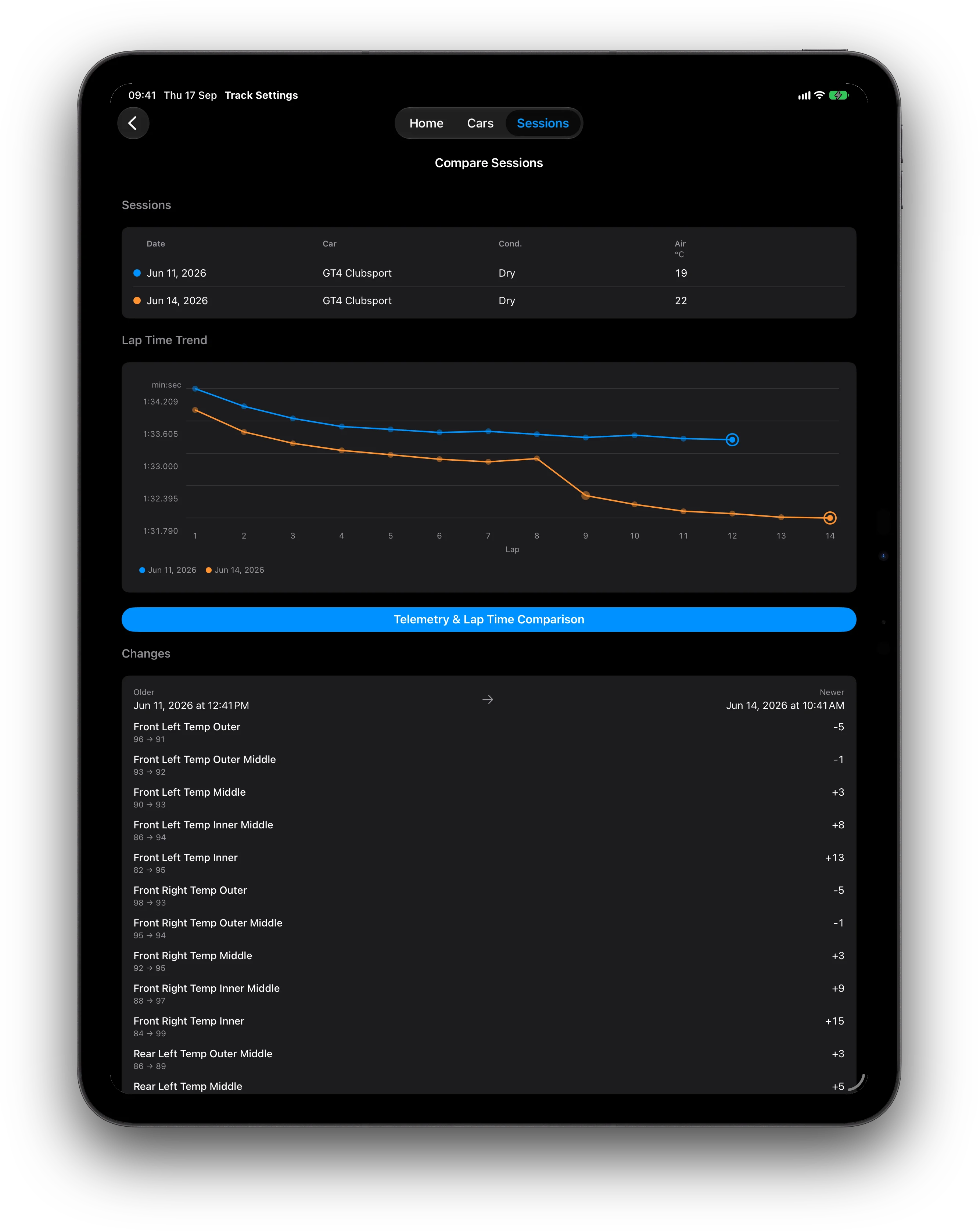
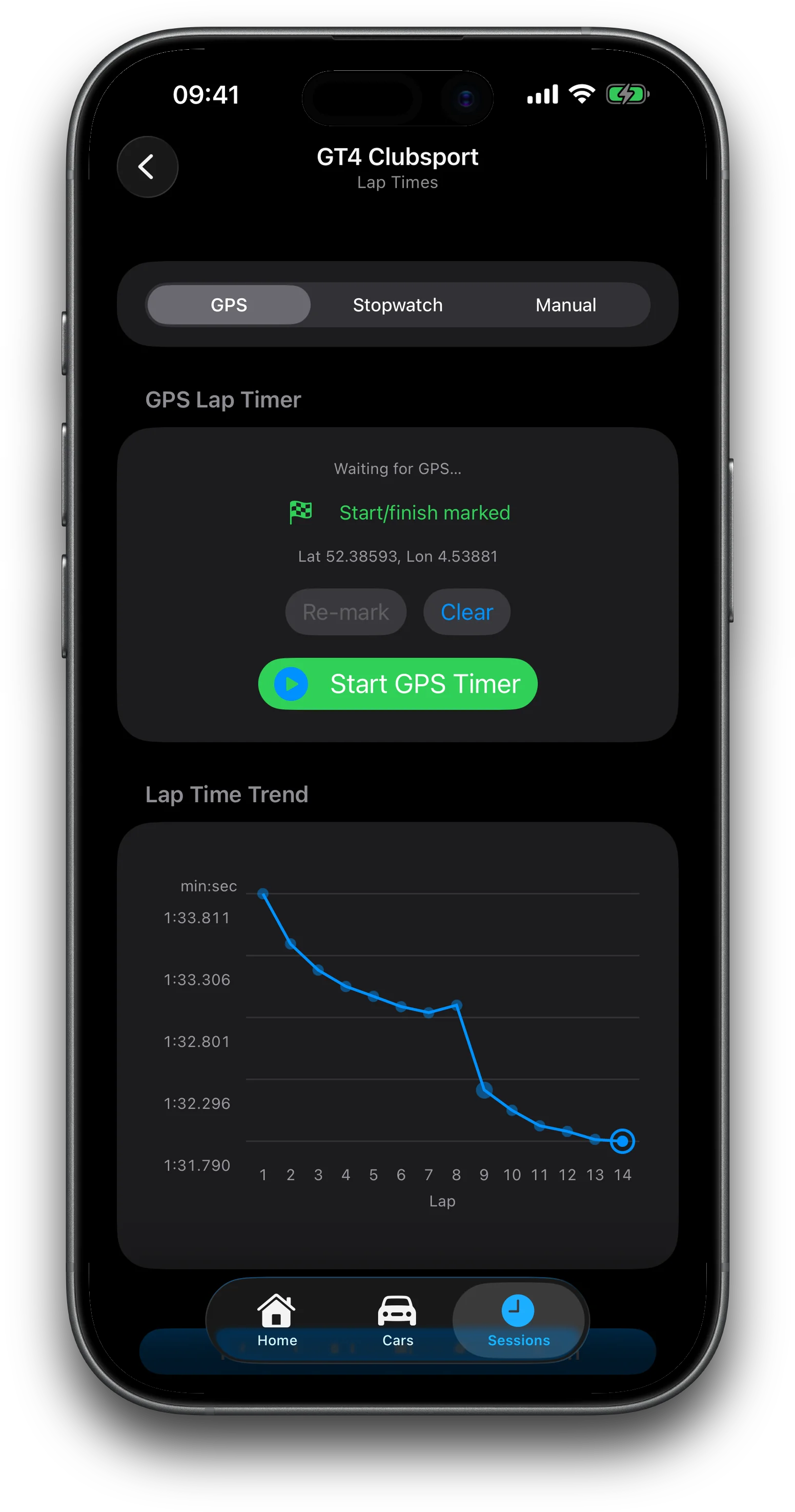
Faster laps plot higher. Laps set on a changed setup are flagged on the graph. Tap one and the app lists exactly what changed since the lap before. Overlay sessions to compare whole weekends.
Stopwatch / iPhone GPS / external module / manual entry
04New in 1.2.0
Ten laps, one cursor.
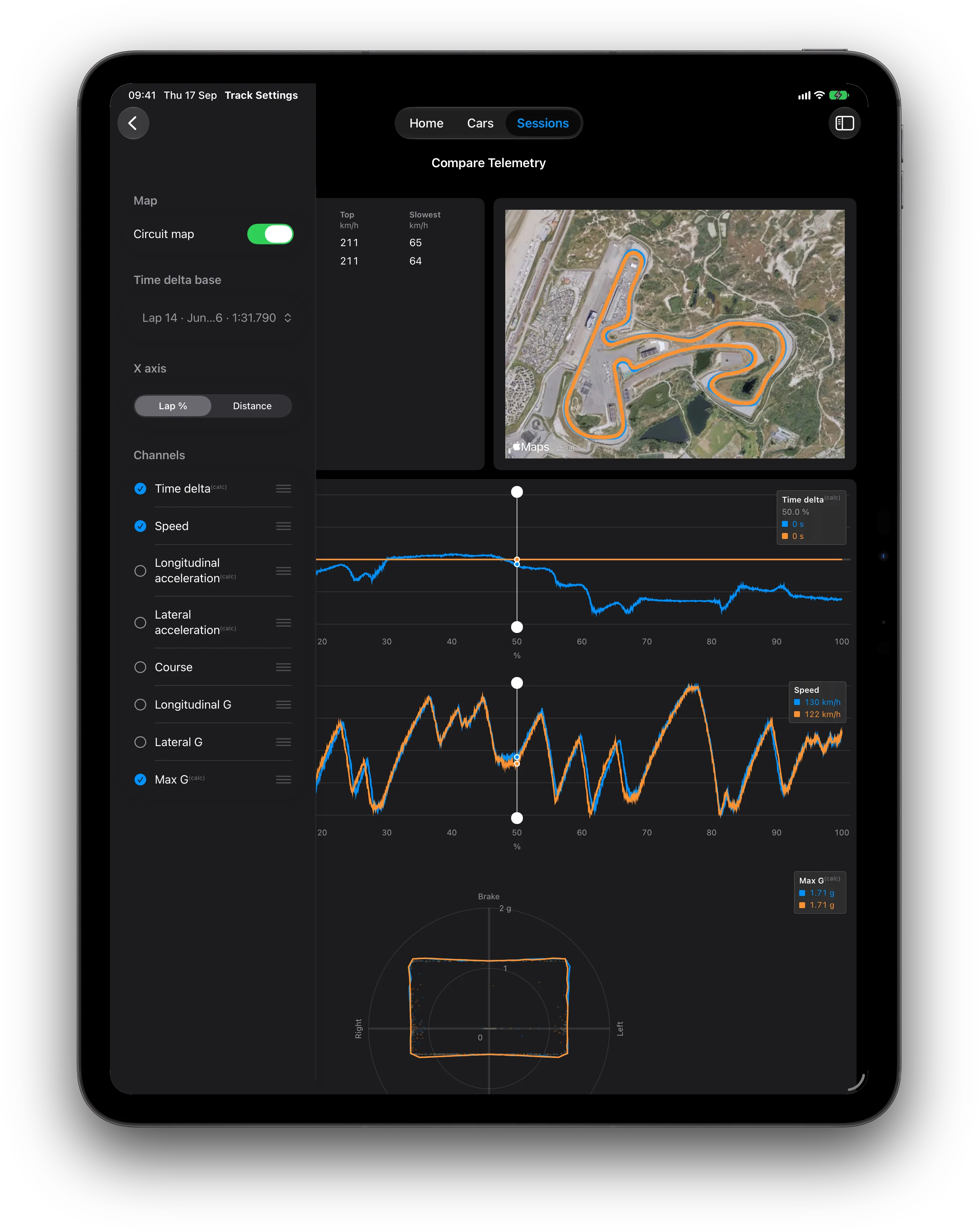
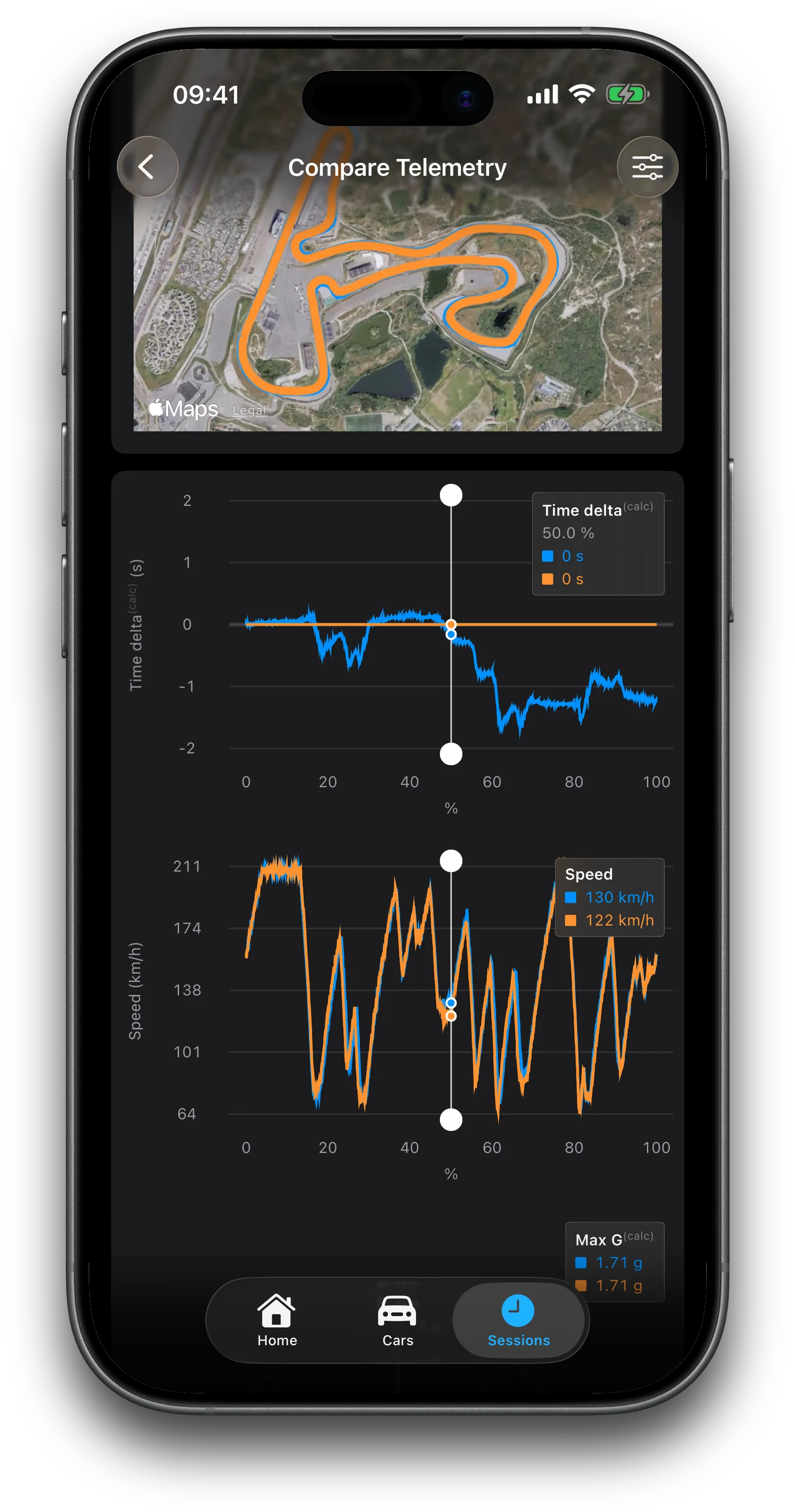
Overlay up to ten laps on stacked channels with a shared cursor and zoom, with the traces drawn on satellite imagery of the circuit. Longitudinal and lateral G, a Max G circle, and any logged GPS channel. Included with the app.
05Schematic & heat map
Read the tires.
A top-down drawing of the car with setup callouts. Log pyrometer readings and the tread heat map turns green where the compound is in its window. Set a hot target and the app works back to the cold pressure for today's paddock temperature, then applies it to the car.
Inner / middle / outer tread temps · cold-pressure calculator
06Pro
Ask an Engineer.
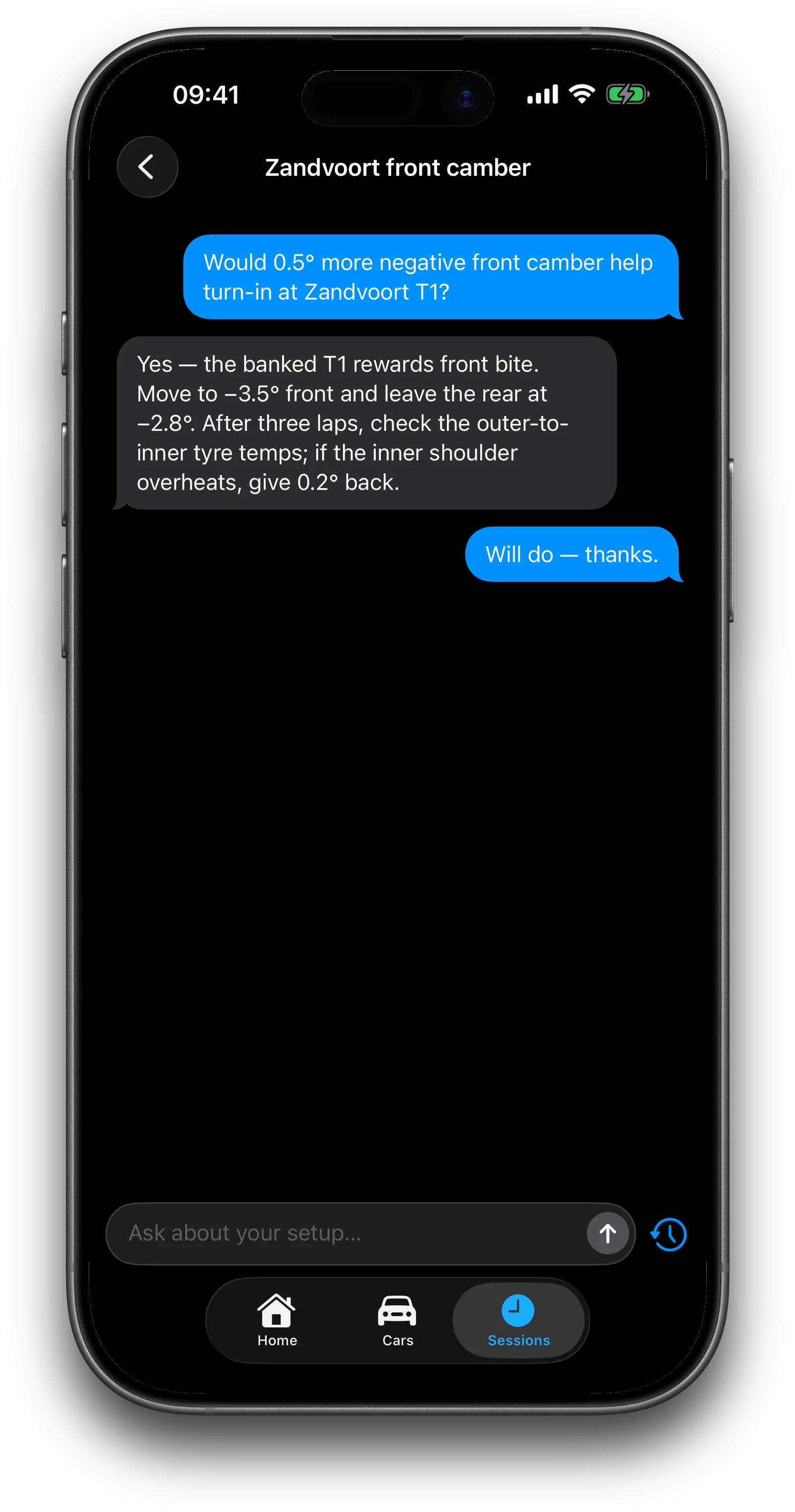
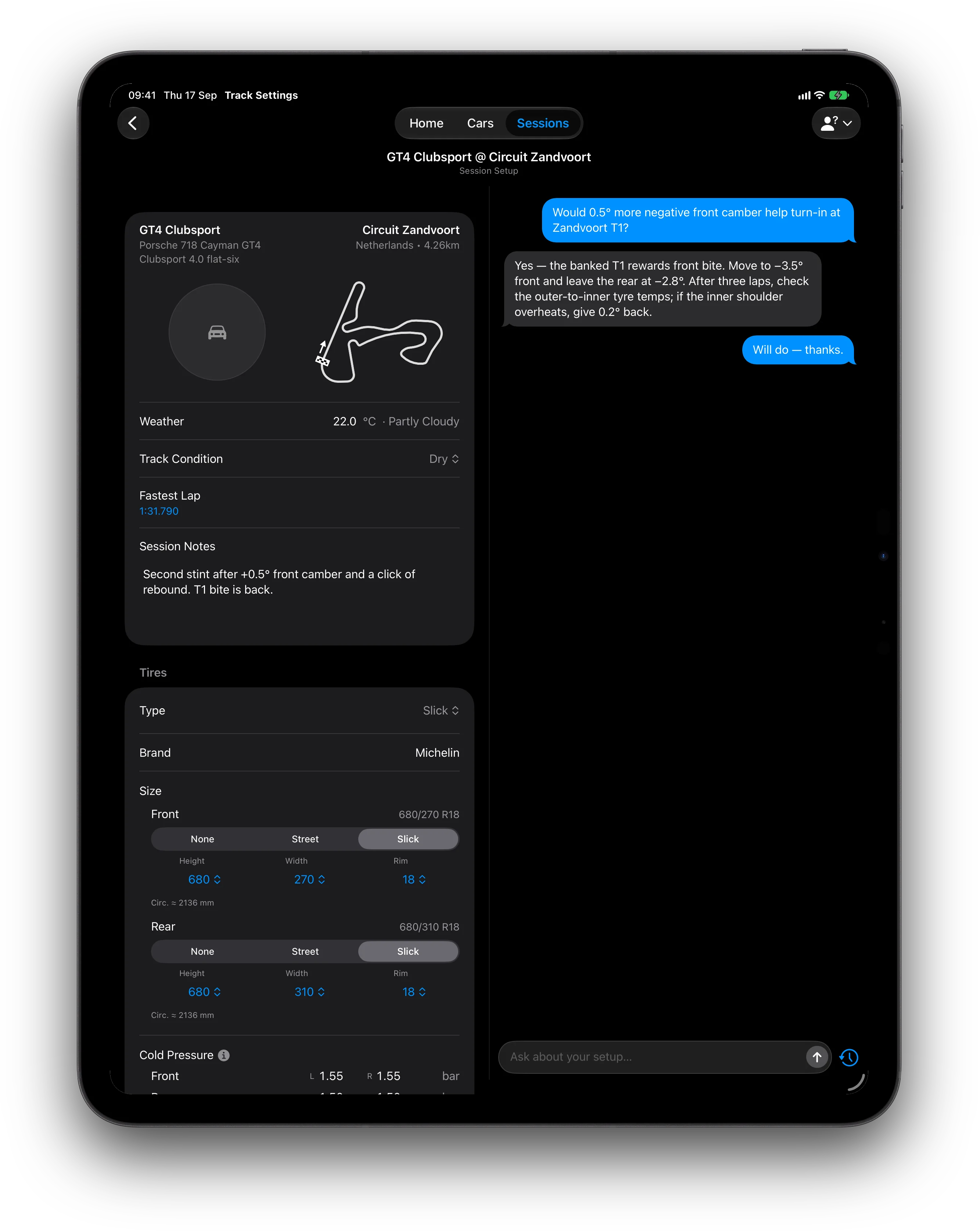
A virtual trackside engineer in the app. Give it a car or a session as context and ask why the rear steps out on corner exit. Answers are grounded in a suspension tuning guide, and threads are saved to your account.